
SnapSharp offers local OCR on Windows. Once the engine and models are configured, it can recognize Chinese and English text on your device without uploading the image. Initial model downloads require internet.
Before you start
Use Windows 10 2004+ or Windows 11 x64 and the complete extracted SnapSharp release. Launch the app and open Settings from its system tray icon.
In Settings → OCR and recognition, use the recommended ONNX OCR setup and save the settings. The recommended Chinese/English models are about 14.2 MB; this is the OCR model download, not the complete application size.
Extract text from an image
- Copy an image to the clipboard, or capture the content with Ctrl + Shift + A.
- Open “Recognize clipboard image…” from the tray menu and choose text OCR with a local engine. Recognition is also available from capture selections, pins, and the editor.
- Run recognition and compare the image regions on the left with the text on the right. Click a region or original recognition line to locate its counterpart.
- Review the result, then copy or export the text. Configure the separate local translation model if you also need a translation.
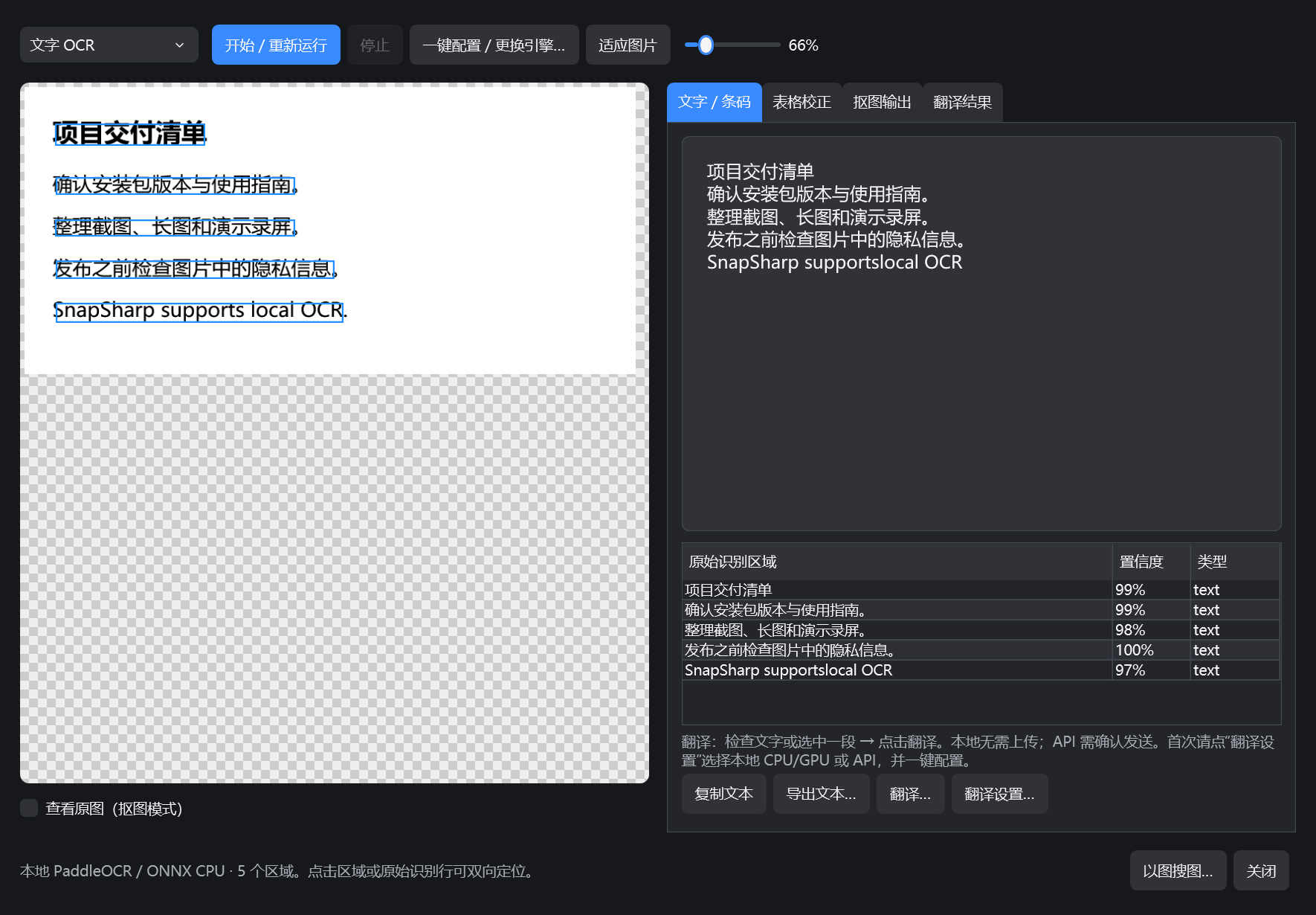
What to check in the result
Prefer a clear image with sufficiently large text. Spacing, punctuation, mixed languages, numbers, and complex layouts may cause errors. Treat the result as a draft to compare with the original.
The example shown here retains the real model's spacing and text errors, without replacing the output with hand-written text. Speed and results vary with the input, model, and hardware.
Offline use and privacy
Local OCR does not upload images or text and works offline after models and runtime components are ready. Optional online translation and image search are separate network services that require enabling or confirmation.
Screenshot history is stored locally and is not encrypted. When working with sensitive material, review your save location and history settings as well.
For detailed operation, model choices, and troubleshooting, see the full user guide.